Metrics, logs and traces on one timeline, stored in your own cluster and read by your
browser directly. Your telemetry never passes through our servers.
OpenTelemetry in · Kubernetes · read-only MCP for your agents
Our own Poet, live
drag to zoom · double-click back
Reading our own Poet…
Your data stays home.
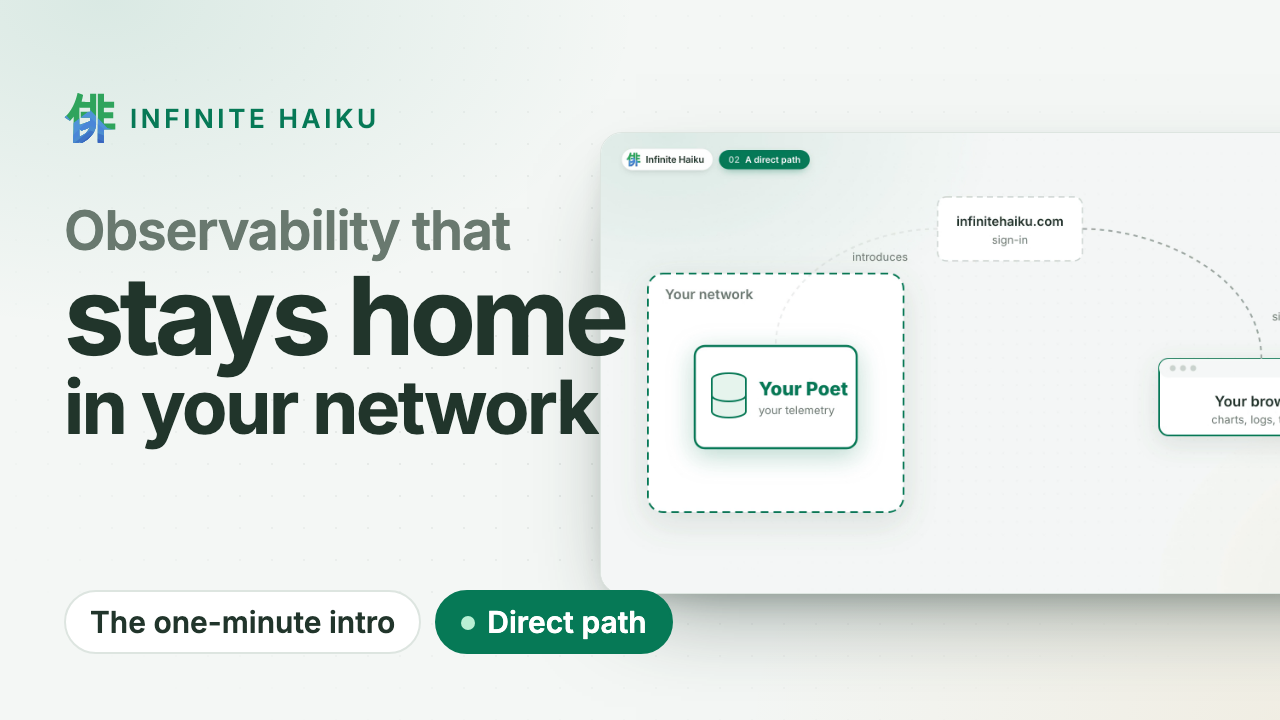
The datastore runs in your Kubernetes cluster or on your Linux machines. We sign you in and introduce your browser
to it; the data goes straight to you over an encrypted channel. No egress bill to ship telemetry
out, and nothing at our end to leak.
Walk into the timeline.
Every series of a service at once, drawn on your GPU. Zoom in and the detail follows; open a
request and see its log lines and the change behind it. Missing data is shown as missing, never
as zero.
Your agents investigate.
A read-only door (MCP) lets the coding agent you already use search, follow a request and read
the same numbers as your charts. No vendor AI, no per-investigation fee.
How it works
1A Poet in your cluster. Our datastore runs where your services run and
takes their OpenTelemetry. Read-only, one namespace.
2You sign in at infinitehaiku.com. Our web service checks who you are and
introduces your browser to your Poet. That is all it sees.
3Your browser talks to your Poet directly. An encrypted peer-to-peer
channel (WebRTC). The numbers never pass through our servers.
Infinite Haiku in one minute · plays from YouTube (youtube-nocookie.com)
Proof, not promises
Measured: 500,000 tasks from 200 workers over five hours, drawn at
1.1 ms of CPU per frame.
This site's own requests, live: the same public view you can give your customers.
Alerts in your network. Evaluated inside your own Poets.
Public status pages. Share a live dashboard without sharing access.
Kernel faults on the timeline. Memory errors, silent out-of-memory kills and disk errors, per node.
Flat CHF 5 per user account and month. Nothing per gigabyte, host or event.
Don't trust us: watch it yourself. Your Poet shows every connection and its bytes, peer to peer or to us. See how
Join the free pilot.
Expert help on your systems. Leave anytime: delete the Poet, one command.
Once we open to the public: two months free, then a flat CHF 5 per user account and month. How the pilot works ·
Security
The Poet, our
datastore, keeps the data on your machine, and the Linux Muse, our
collector, feeds it the host, its systemd units, their processes and the
kernel’s faults (out-of-memory kills, segfaults, disk and filesystem
errors). Both run as sandboxed systemd services, each under its own
transient user rather than root. Your browser reads the Poet over a direct,
encrypted WebRTC connection: no data passes through our servers; we only
handle sign-in.
On another distribution, one line installs the same two services
from our signed downloads: Install on a Mac or Linux
machine. This page is for NixOS, with our NixOS
module; during the pilot we set the module up with you. Write to
info@infinitehaiku.com.
Name the machine. Sign in at https://infinitehaiku.com as an
organisation admin, open Access › Clusters, pick A Linux machine
(NixOS) and enter a name such as db-1. The screen shows the
machine’s token, once, and the configuration below with your
organisation, cluster and host name filled in. Save the token as a
secret on the machine (sops-nix, agenix, or a root-only file), never in
Git or the Nix store.
Configure the machine as below.
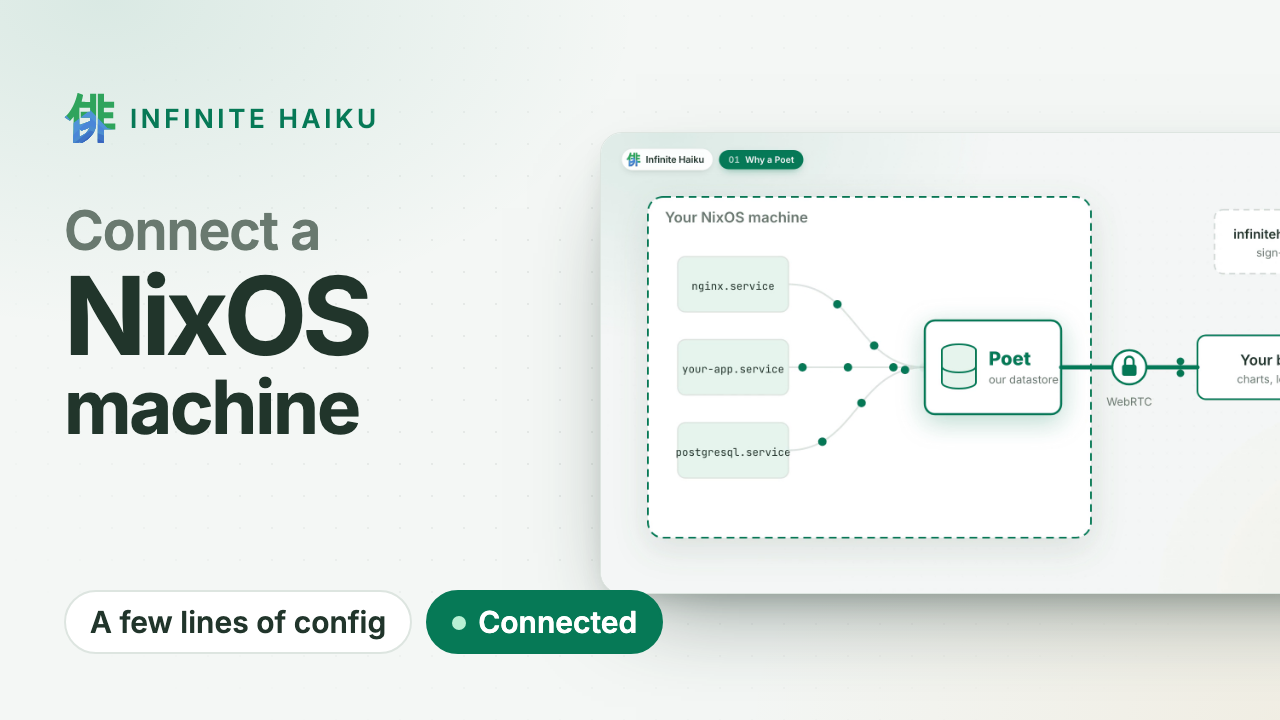
Watch it connect.db-1 turns Connected as soon as the Poet
starts. The Muse reads the host at once, then every 10 seconds.
NixOS
Connect a NixOS machine (1 min) · plays from YouTube (youtube-nocookie.com)
With the module imported, the machine’s configuration is:
services.ih = {
  organisation = "<your organisation id>";
  cluster = "db-1";
  hostName = "db-1";                                   # its name in Infinite Haiku
  intakeTokenFile = "/run/secrets/ih/intake-token";   # any random line, 16+ bytes
  poet.enable = true;
  poet.shibuya.url = "https://infinitehaiku.com";
  poet.shibuya.tokenFile = "/run/secrets/ih/cluster-token"; # from Access › Clusters
  muse.enable = true;
};
The intake token is your own: any random line of at least 16 bytes, which
everything that sends to the Poet presents. Both files are read as systemd
credentials, so they can stay readable by root only. With sops-nix, for
example: sops.secrets."ih/cluster-token".restartUnits = [ "poet.service" ];
(agenix works the same way).
By default the Poet uses at most 640 MiB of memory and 6 GB of disk
(poet.memoryMaxMiB, poet.diskLimit).
services.ih.hostName is the machine’s name in Infinite Haiku; without
it, its host name (networking.hostName). The Poet and the Muse both use
it.
After nixos-rebuild switch, two services run: poet.service and
muse.service. To check them:
systemctl status poet muse
journalctl -u poet -g 'registered with Shibuya'
Both are active (running), and the Poet’s journal has a line
registered with Shibuya … cluster=db-1 once it has connected.
A Muse-only host
Several machines can share one Poet: each other machine runs only a Muse,
which sends to the Poet over your network and keeps no data. The Muse sends
its token only over HTTPS, so the Poet’s machine serves its intake over TLS
with a certificate for its name (both files readable by the nginx user):
On each other machine, only the Muse, with the same intake token:
services.ih = {
  organisation = "<your organisation id>";
  intakeTokenFile = "/run/secrets/ih/intake-token";
  muse.enable = true;
  muse.poetUrl = "https://db-1.internal:4443";
  muse.poetCaFile = "/run/secrets/ih/intake-ca.pem";  # if your CA is private
};
OpenTelemetry
Your applications send to the Poet’s intake with any OTLP/HTTP exporter
(protobuf, gzip allowed): traces, metrics and logs. They present the
intake token as a bearer token. On the Poet’s machine:
From other machines, use the HTTPS intake above:
OTEL_EXPORTER_OTLP_ENDPOINT=https://db-1.internal:4443. An OpenTelemetry
Collector works the same way, with its otlphttp exporter.
Update
Point the module’s source at the new release, then nixos-rebuild switch: both services restart on the new version and keep their data.
Kabuki marks a machine that runs an older version on Updates and on
its own page. An older Poet is updated; Kabuki does not keep older
versions of itself to open it.
Uninstall
Remove services.ih and switch. Delete /var/lib/private/ih-poet to remove the data. Then revoke the
machine’s token in Access › Tokens.
Your data was only on this machine, so that is all it takes to leave. During the pilot there is nothing to cancel; later, uninstalling and cancelling stay separate (leaving).
What you need
A Linux machine with systemd.
Outbound: 443 TCP to infinitehaiku.com, UDP for direct WebRTC to
your users’ browsers, and our relay turn.infinitehaiku.com (3478 TCP
and UDP, 49160–49999 UDP) when no direct path exists.
For Muses or OpenTelemetry from other machines: those machines reach the
Poet’s port 4443/tcp.
Welcome back
No account yet? Write to us: during the pilot we set up your organisation with you.