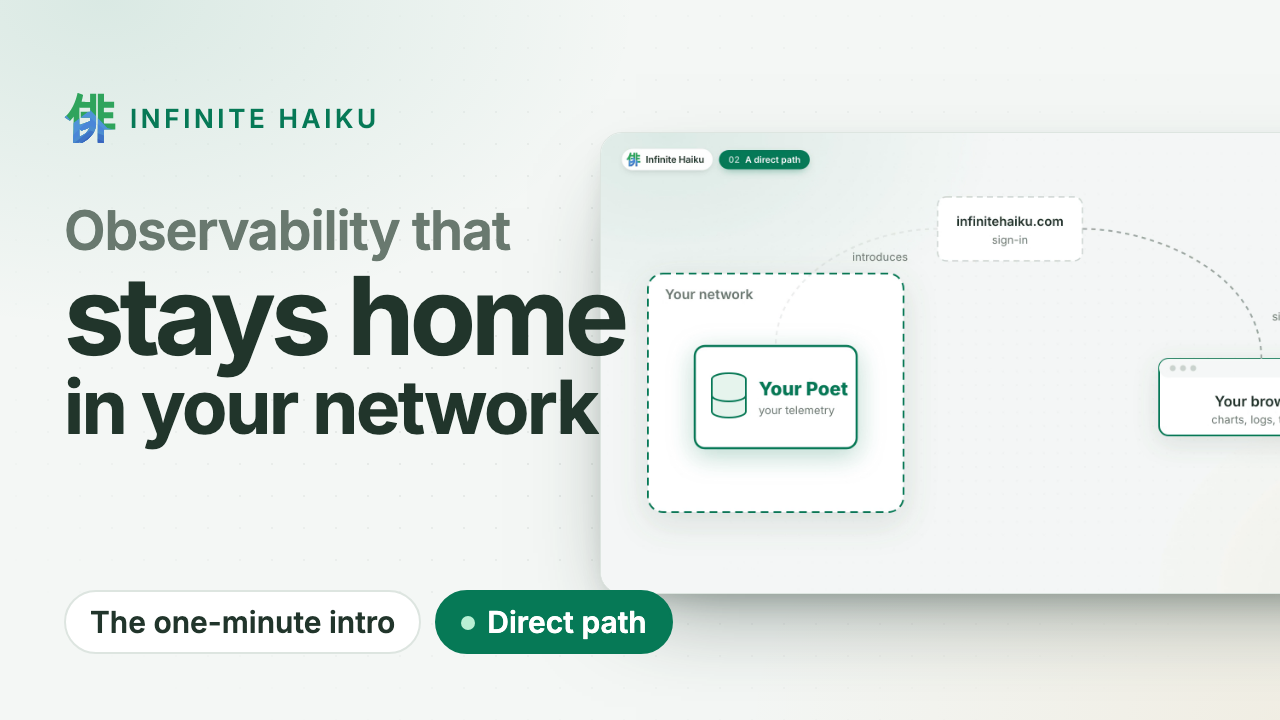
One line in a terminal installs two programs on the machine: the Poet, our
datastore, which keeps the machine’s data on the machine, and the Muse,
our collector, which reads the machine and feeds the Poet. Both start on
their own and restart if they stop. Your browser reads the Poet over a
direct, encrypted WebRTC connection: your telemetry never passes through
our servers; we only handle sign-in.
- Name the machine. Sign in at https://infinitehaiku.com as an
organisation admin, open Access › Clusters, pick A Mac or Linux
machine and enter a name such as
web-1.
- Copy the token, then run the line Kabuki shows in a terminal on the
machine. The token is shown once, with a Copy button; the line has your
organisation and the name filled in and no token. The installer asks for
the token and does not show it:
curl -fsSL https://infinitehaiku.com/install.sh | sh -s -- --org <your organisation id> --cluster web-1
- Watch it connect.
web-1 turns Connected a few seconds after
the download; the machine, its disks, interfaces and busiest processes
follow.
The token is never on a command line or in your shell’s history. For
automation without a terminal, --token-file FILE reads it from a file
instead (the installer copies it; remove the file after).
What it checks
The installer downloads the release from infinitehaiku.com and refuses to
install unless the checksums carry our release signature and each archive
matches them. It checks against our release key, which is written in the
script. Its fingerprint is SHA256:tM/OPJFdCbcQYqLcRfCwpVKhG11sb8R+xPM3KbL+lY0,
the same key that signs our agent door. To read
the script before running it:
curl -fsSL https://infinitehaiku.com/install.sh -o install.sh
less install.sh
sh install.sh --org <your organisation id> --cluster web-1
What gets installed
On a Mac (Apple silicon, macOS 11 or later), two LaunchAgents of your
user, no administrator rights:
| Where | What it is |
|---|
~/Library/Application Support/InfiniteHaiku/ | The Poet and the macOS Muse, your data (at most 10 GB) and the token, readable only by you |
~/Library/LaunchAgents/com.infinitehaiku.*.plist | Start both at login and restart them if they stop |
~/Library/Logs/InfiniteHaiku/ | poet.log and muse.log |
Our programs are not notarised by Apple. Downloaded by the installer, they
run as they are.
On Linux (x86_64 or arm64, systemd 247 or newer: Ubuntu 22.04, Debian
11, Fedora 34, RHEL 9 or newer), two system services, installed with
sudo. Each runs sandboxed under its own transient user, not root. They
are system services because the Linux Muse reads the whole host (every
service and process, the kernel’s faults) and a server’s Poet runs from
boot, with nobody logged in.
| Where | What it is |
|---|
/opt/infinitehaiku/bin/ | The Poet and the Linux Muse |
/etc/infinitehaiku/ | The settings and the token, readable by root only |
/etc/systemd/system/infinitehaiku-poet.service, infinitehaiku-muse.service | The two services |
/var/lib/private/infinitehaiku-poet/ | Your data (at most 10 GB); logs in the journal |
On NixOS, use our NixOS module instead.
The Muse sends to the Poet over loopback only, and the Poet listens on no
other address. Installing again replaces the programs and keeps the data.
Status
curl -fsSL https://infinitehaiku.com/install.sh | sh -s -- status
It shows both services, whether the Poet’s intake answers, the Poet’s last
sign-in lines and the Muse’s last samples.
Update
curl -fsSL https://infinitehaiku.com/install.sh | sh -s -- update
It installs the newest release (update --version <version> for another)
with everything as installed: organisation, cluster name, Shibuya, ports,
limits and the stored token, so it asks nothing. The data and the
machine’s own secrets stay. On Linux it asks for sudo, as install does.
Kabuki marks a Poet that runs an older version on Updates and on the
Poet’s own page, with this command. An older Poet is updated; Kabuki does
not keep older versions of itself to open it.
To change the organisation, the name or the token, run the install line
again instead: it replaces the programs and settings and keeps the data.
Uninstall
curl -fsSL https://infinitehaiku.com/install.sh | sh -s -- uninstall
It stops both services and removes everything the install made, the data
included. Then revoke the token (poet web-1) in Access › Tokens.
Your data was only on this machine, so that is all it takes to leave.
During the pilot there is nothing to cancel (leaving).
What you need
- A Mac with Apple silicon, or a Linux machine with systemd;
curl and
ssh-keygen (on Linux, the openssh-client package).
- Outbound only: 443 TCP to infinitehaiku.com, UDP for direct WebRTC to
your users’ browsers, and our relay turn.infinitehaiku.com (3478 TCP
and UDP, 49160–49999 UDP) when no direct path exists.