Infinite Haiku

Observability that stays in your network.

Metrics, logs and traces on one timeline, stored in your own cluster and read by your browser directly. Your telemetry never passes through our servers.

OpenTelemetry in · Kubernetes · read-only MCP for your agents
Our own Poet, live

drag to zoom · double-click back

Reading our own Poet…

Your data stays home.

The datastore runs in your Kubernetes cluster or on your Linux machines. We sign you in and introduce your browser to it; the data goes straight to you over an encrypted channel. No egress bill to ship telemetry out, and nothing at our end to leak.

Walk into the timeline.

Every series of a service at once, drawn on your GPU. Zoom in and the detail follows; open a request and see its log lines and the change behind it. Missing data is shown as missing, never as zero.

Your agents investigate.

A read-only door (MCP) lets the coding agent you already use search, follow a request and read the same numbers as your charts. No vendor AI, no per-investigation fee.

How it works

  1. 1A Poet in your cluster. Our datastore runs where your services run and takes their OpenTelemetry. Read-only, one namespace.
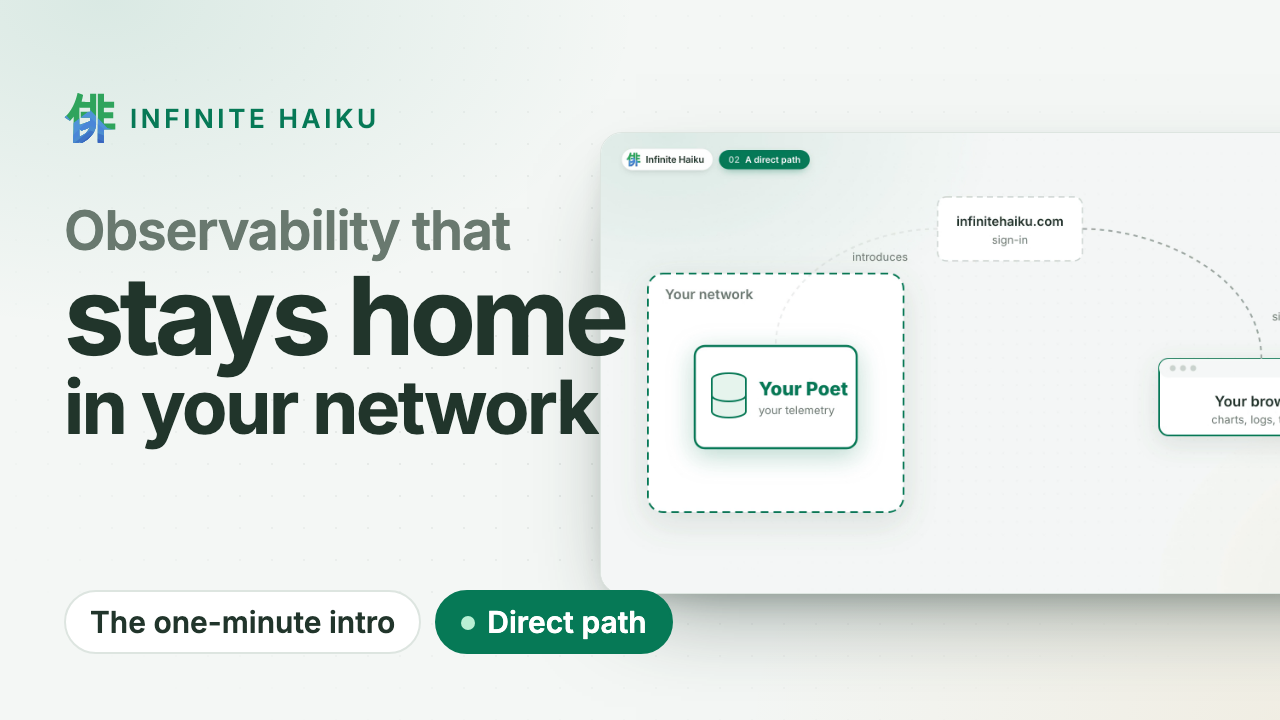
  2. 2You sign in at infinitehaiku.com. Our web service checks who you are and introduces your browser to your Poet. That is all it sees.
  3. 3Your browser talks to your Poet directly. An encrypted peer-to-peer channel (WebRTC). The numbers never pass through our servers.
Your browser signs in at infinitehaiku.com, which introduces it to the Poet in your network; the data then goes directly between the Poet and your browser. Your network Your services OpenTelemetry Poet your datastore Your browser dashboards, AGS infinitehaiku.com sign-in, introduction your telemetry, encrypted, direct never through our servers
Infinite Haiku in one minute · plays from YouTube (youtube-nocookie.com)

Proof, not promises

Measured: 500,000 tasks from 200 workers over five hours, drawn at 1.1 ms of CPU per frame.

This site's own requests, live: the same public view you can give your customers.

This site's own requests, live · open it full size

Who is behind it

An independent team. You talk to the people who build it.

No sales layer between your questions and the answers.

Built since April 2024. Bootstrapped: no venture capital, no board, no hyperscaler lock-in. About us

  • Alerts in your network. Evaluated inside your own Poets.
  • Public status pages. Share a live dashboard without sharing access.
  • Kernel faults on the timeline. Memory errors, silent out-of-memory kills and disk errors, per node.
  • Flat CHF 5 per user account and month. Nothing per gigabyte, host or event.
  • Don't trust us: watch it yourself. Your Poet shows every connection and its bytes, peer to peer or to us. See how

Join the free pilot.

Expert help on your systems. Leave anytime: delete the Poet, one command. Once we open to the public: two months free, then a flat CHF 5 per user account and month. How the pilot works · Security

Write to us
← Docs

Install

  • A Poet, our datastore, where your data should live. It keeps the data in its own volume or directory, and one Poet serves a whole cluster or several machines.
  • What feeds it: Muses, our collectors, and the OpenTelemetry your applications already emit. They send to a Poet and keep no data of their own, so a machine that only sends needs no datastore.

You open it on our site, https://infinitehaiku.com, and your browser reads the Poet over a direct, encrypted WebRTC connection: no data passes through our servers; we only handle sign-in.

Where the Poet runs

WhereWhat runs
A Kubernetes clusterOne Helm command: the Poet and, beside it, the Kubernetes Muse, which reads the cluster
A Mac or Linux machineOne line: the Poet and the Muse of that system as services, from our signed downloads
A Linux machine on NixOSOur NixOS module: the Poet and the Linux Muse as systemd services

What feeds it

SourceHow
The cluster the Poet runs inThe Kubernetes Muse in the same pod
The machine the Poet runs onThe macOS or Linux Muse beside it
Other Kubernetes clustersA Muse only, sending to an existing Poet over HTTPS
Other Linux machinesA Muse only, sending over HTTPS
Your applicationsOpenTelemetry (OTLP/HTTP), in the Poet’s cluster or to a Linux Poet

Connect a Poet

  1. Name it. Sign in at https://infinitehaiku.com as an organisation admin, open Access › Clusters and name the cluster or machine, such as prod-eu-1 or db-1. You get its token.
  2. Install it where the Poet will live. Pick what you are connecting: for A Kubernetes cluster the screen shows the whole Helm command with the token filled in (a cluster that should only feed an existing Poet: pick Send to an existing Poet); for A Linux machine (NixOS), the token, shown once, and the NixOS configuration with your names filled in; for A Mac or Linux machine, one line to run on it, with the token in its first line.
  3. Watch it connect. The name turns Connected as soon as the Poet starts; the wait is the images and the volume. Its nodes, pods or processes then appear for everyone in your organisation.

We never get access to your cluster or machine. Removing a Poet is one command, and your data was only in your own volume, so you can leave at any moment (leaving).

  • Install on Kubernetes: One Helm command, filled in for you on our site. The cluster turns Connected as soon as the pod starts; your browser then reads it over a direct, encrypted WebRTC connection.
  • Install on a Mac or Linux machine: One line installs the Poet and its Muse as services, from our signed downloads. A Mac needs no administrator rights.
  • Install on NixOS: A NixOS server or VM: the Poet and the Linux Muse as systemd services through our NixOS module. Other distributions use the one-line installer.
  • Install with plain YAML: No Helm in the cluster, or a policy review first: render the chart once, read it, apply it with kubectl.
  • Install examples: Recipes for relay-only networks, mirrors, pull secrets, storage, deleting data on uninstall, Flux, upgrades and several clusters.